
Step 1: Log In to Your Account
Sign in to your AFRES Academy account using your registered email and password. If you haven’t created an account yet, check out our registration guide to get started.
Step 2: Explore Available Courses
Once logged in, navigate to the "Courses" section from the main menu. Browse through a wide selection of courses categorized by skill areas and industries. You can also use the search bar or filters to find the perfect course for your learning goals.
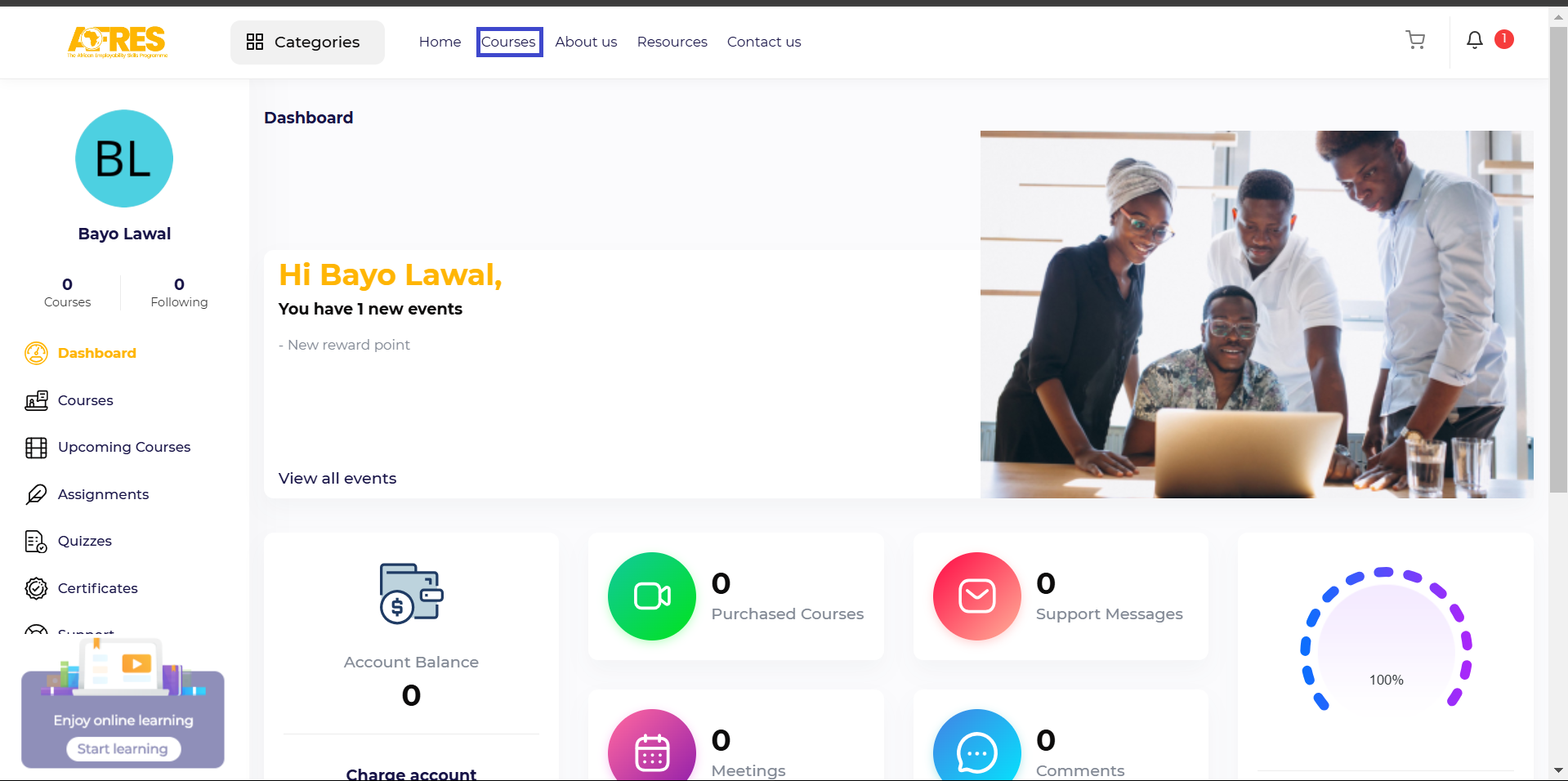
Step 3: Check Course Details
Click on any course to view its details, including the course description, learning objectives, curriculum, and requirements. Make sure the course aligns with your interests and career aspirations.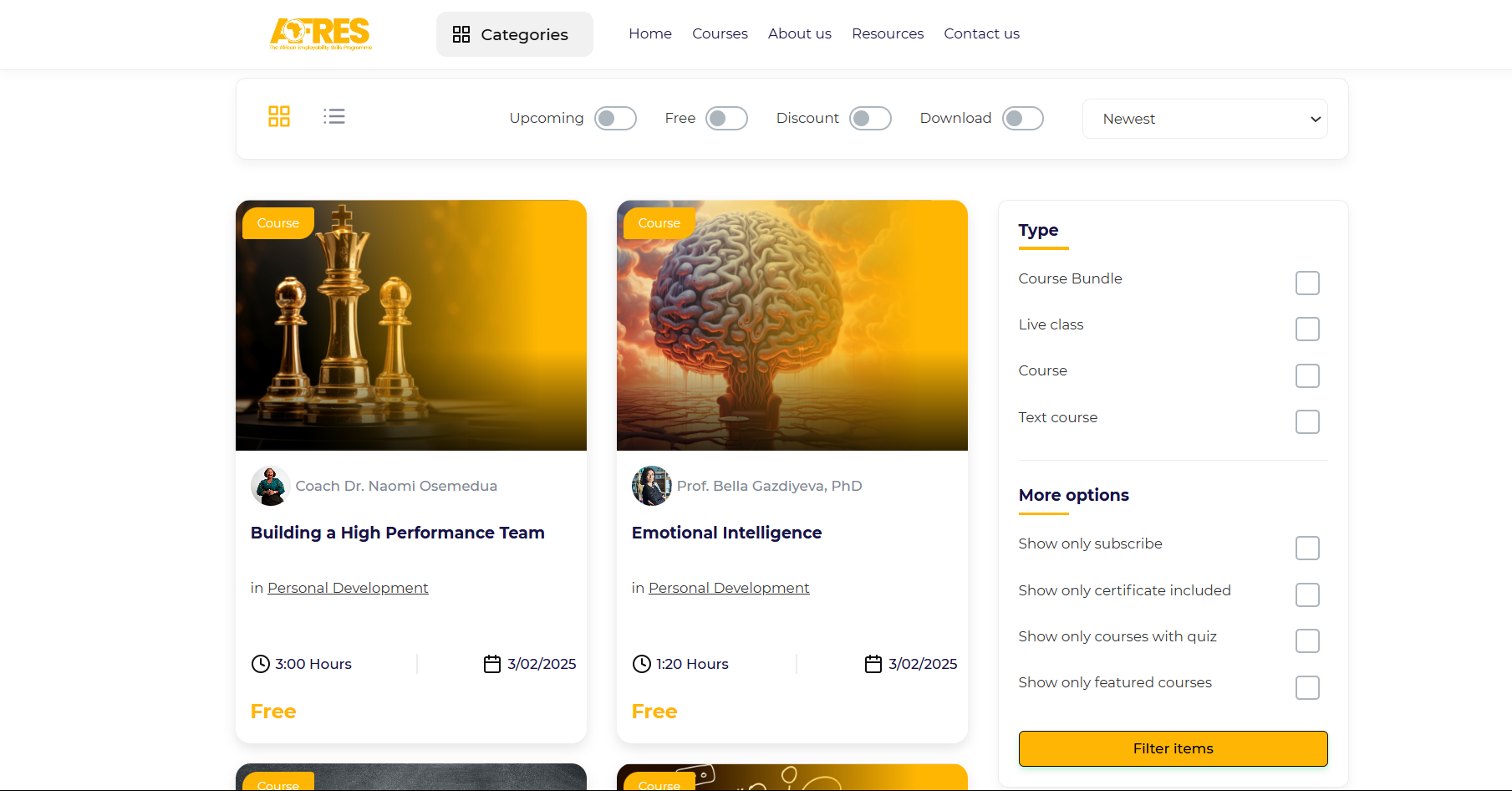
Step 4: Enroll in a Course
- If the course is free, simply click on the "Enroll" button to start learning immediately.
- If the course requires payment, you’ll be directed to a secure payment page. Complete the transaction, and once confirmed, you’ll gain access to the course content.
- After enrolling, click "Go to Learning Page" to begin your journey right away.

Step 5: Access Your Learning Dashboard
To view all your enrolled courses, go to your dashboard and select "My Courses". From here, you can continue your lessons at your own pace and track your progress.
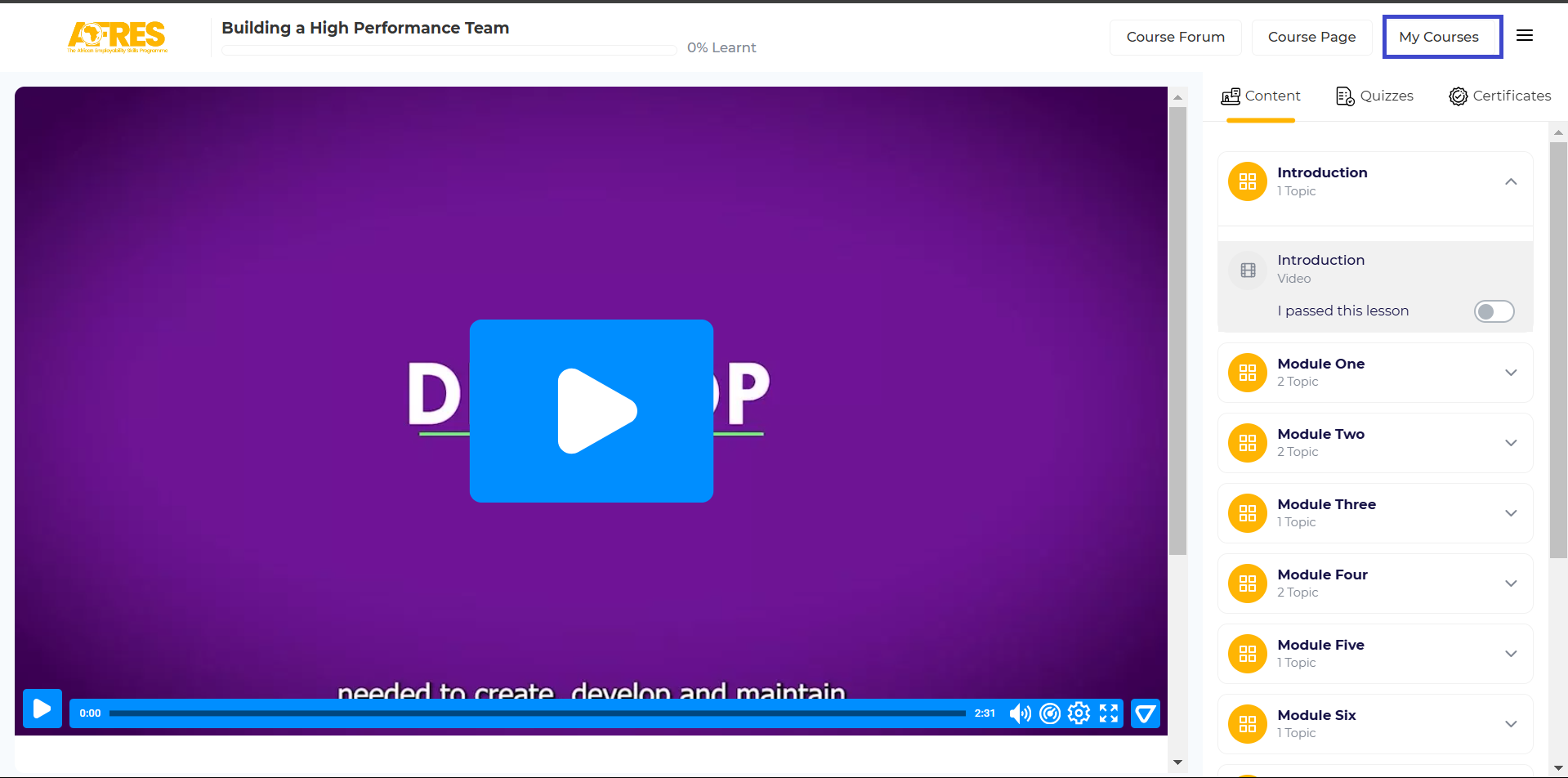
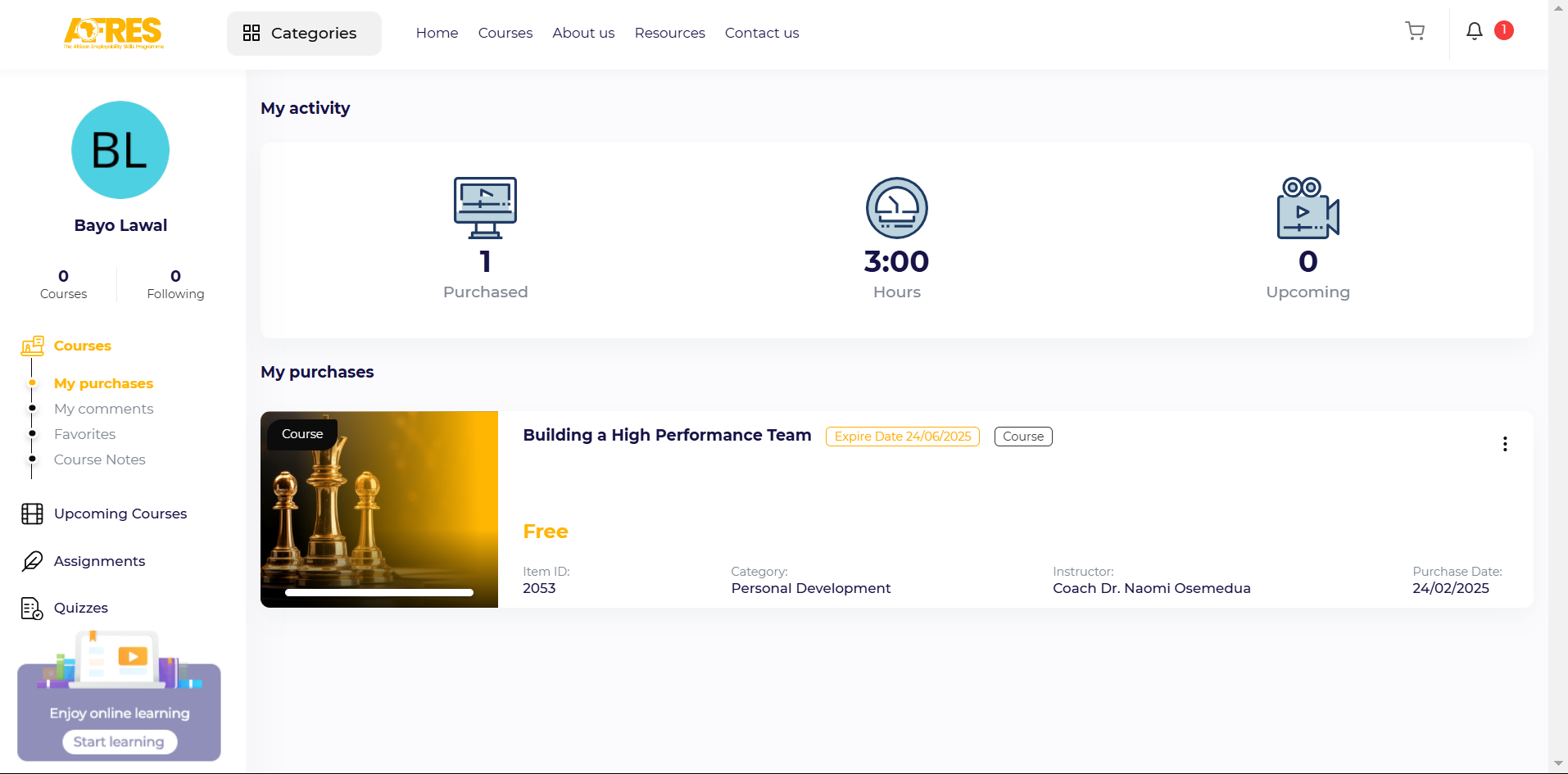 By following these steps, you’ll have everything you need to start learning and developing valuable skills. If you experience any issues during enrollment, our support team is available to assist you.
Start exploring AFRES Academy today and take charge of your future!
Comments (0)

Categories
Recent posts
.png)
The Future of Work in Africa: How AFRES ...
18/02/2025
Creating an Account on AFRES Academy is ...
24/02/2025
From Learning to Earning: How AFRES is ...
18/02/2025.png)